
Browse the Help Center
Document workflows and action requests
Build review and approval workflows in the visual builder, assign each step, and track the resulting action requests under Files.
1 min read
A document workflow turns your review process into steps the system runs for you: who reviews, in what order, and what happens next. Once a workflow is on, approvals stop living in email.
Build a workflow
- 1
Open your project, then go to Settings, then Document workflows.
- 2
The visual workflow builder opens. Add a step for each stage of your review.
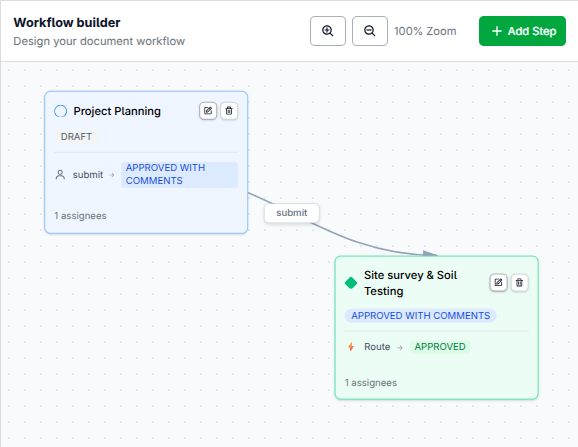
Each block is a step. The connections set the order. - 3
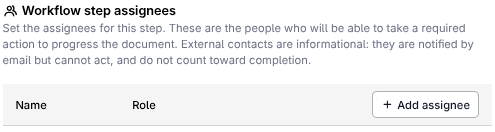
Assign each step its step assignees: the people or teams whose move it is at that stage.
- 4
Save the workflow. Documents that enter it now move through your steps in order.
Action requests
Once a workflow is enabled, each step that needs a decision surfaces as an Action request under Files. That list is the live state of every review running in the project: what is waiting, on whom, and for how long.
Reviewers do not need to watch this list. Each request lands in their action queue on the dashboard, and the ball-in-court bar on the document shows whose move it is.
Tip
Start with one simple workflow: a review step and an approval step. Add steps once the team is comfortable, not before.
See it on the platform
Document controlWas this page helpful?
Need help? Contact support.
See what shipped in the changelog.
Questions about pricing? Talk to sales.
Something down? Check the platform status.
Found a bug in the product? Report an issue.
Missing something? Request a feature.